MacBook Air and MacBook Pro deals with condition, RAM, SSD and warranty caveats. Prices and eligibility can change quickly, so use these as checked notes and recheck the retailer before buying.
Current MacBook deals
Some links are affiliate links. We may earn commission at no extra cost to you. About our links
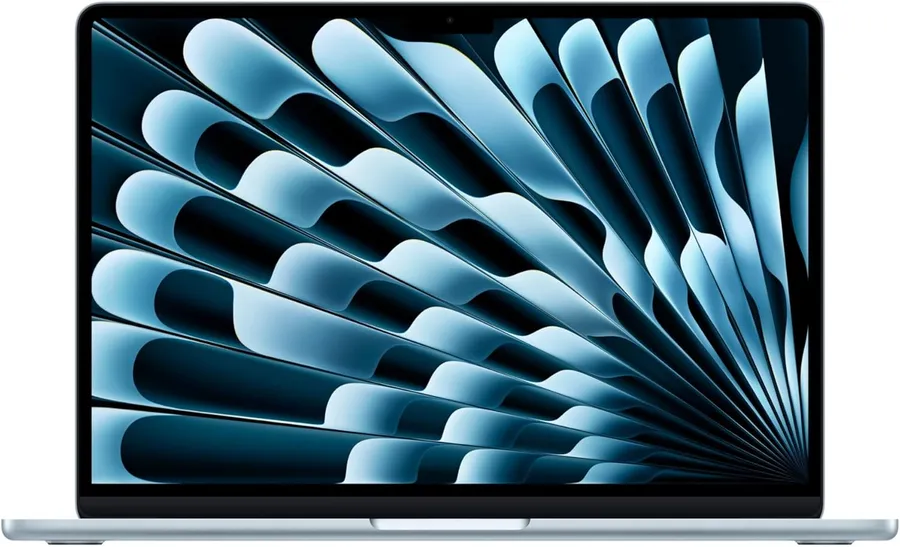
A new £1,148.97 MacBook Air with 16GB memory and a 512GB SSD for work and study on macOS. More storage than entry-level 256GB configurations; choose it for your software needs, not as a Windows gaming replacement.
Know before buying Power adapter (charger) is not included; the USB-C to MagSafe 3 cable is listed. Confirm physical UK keyboard layout and warranty. Memory and storage cannot be upgraded after purchase; check macOS compatibility with your required apps.
At £1,299, this is a larger-screen MacBook Air with 16GB unified memory and a 512GB SSD. Choose it for everyday macOS work and the 15.3-inch screen rather than expecting the cooling or memory capacity of a MacBook Pro.
Know before buying Selected configuration excludes the power adapter (charger). An advertised checkout saving is not deducted from our £1,299 price. Sold and dispatched by Amazon at observation. Confirm physical UK keyboard layout, warranty and final delivery total.
A lower-cost route to a MacBook Pro with 16GB unified memory and the Liquid Retina XDR display. At £1,369 it is worth considering for macOS work if you accept Apple refurbishment and 512GB storage rather than the 1TB in the new M6 options.
Know before buying Apple Certified Refurbished, not new; one-year limited warranty and 14-day returns. Power adapter (charger) sold separately; MagSafe 3 cable included. Exact stock, delivery date, physical UK keyboard layout and battery health are unconfirmed; check before ordering.
The lower-cost M6 MacBook Pro option at £1,829.97, with 16GB unified memory and a 1TB SSD. Choose it for macOS work and the Liquid Retina XDR display; the £2,013.97 24GB version offers more memory headroom, not extra storage.
Know before buying Power adapter (charger) sold separately; USB-C to MagSafe 3 cable included. Sold and dispatched by Amazon at observation. Physical UK keyboard layout and exact warranty term are unconfirmed. Confirm required app compatibility and delivery for your postcode.
The 24GB configuration gives more unified-memory headroom than the 16GB M6 model for heavier macOS multitasking, while retaining a 1TB SSD and Liquid Retina XDR screen. Compare the checked prices of the 24GB and 32GB variants before choosing.
Know before buying Power adapter (charger) sold separately; USB-C to MagSafe 3 cable included. Sold and dispatched by Amazon at observation. Physical UK keyboard layout and exact warranty term are unconfirmed. Confirm required app compatibility and delivery for your postcode.
A 32GB unified-memory alternative to the 16GB and 24GB M6 MacBook Pro configurations, with a 1TB SSD and 14.2-inch Liquid Retina XDR display. At £2,196.97 it suits heavier macOS multitasking where memory headroom matters more than stepping up to an M5 Pro chip. This is not a 64GB-plus Local AI recommendation.
Know before buying Power adapter (charger) sold separately; USB-C to MagSafe 3 cable listed. Sold and dispatched by Amazon at observation. Listing title and selected colour details disagree, so confirm the colour before ordering. Physical UK keyboard layout and exact warranty term are unconfirmed.
Price and availability may change. Confirm the seller, selected model and final price before buying.
Apple M5 Pro · 24GB unified memory · 2TB SSD · 14.2-inch Liquid Retina XDR
A £2,349 public-price route to an M5 Pro MacBook with 24GB unified memory and a 2TB SSD. This is the Liquid Retina XDR configuration, not the PROLED touchscreen listing; choose it for local storage and macOS work rather than touch input.
Know before buying Sold and dispatched by Amazon. Only a MagSafe cable is listed in the box: budget separately for a power adapter. Physical UK keyboard layout and exact warranty term are unconfirmed. A checkout saving is advertised but its eligibility is unclear, so it is not deducted; confirm the final total.
Price and availability may change. Confirm the seller, selected model and final price before buying.
Apple M5 Pro 18-core CPU / 20-core GPU · 24GB unified memory · 2TB SSD · 14.2-inch Liquid Retina XDR
A higher M5 Pro configuration with an 18-core CPU, 20-core GPU, 24GB unified memory and a 2TB SSD. At the verified public £2,549 Amazon price it costs more than the current 15-core/16-core 24GB/2TB listing; choose it for the stronger Pro chip rather than the lowest storage-heavy price.
Know before buying Sold and dispatched by Amazon. A checkout saving is advertised on the listing path, but eligibility is unclear, so it is not deducted from the public £2,549 price. Power adapter (charger) inclusion is unconfirmed; MagSafe cable terms need checking. Physical UK keyboard layout and exact warranty term are unconfirmed. Limited stock at observation.
Price and availability may change. Confirm the seller, selected model and final price before buying.
Apple M5 Pro · 24GB unified memory · 1TB SSD · 16.2-inch Liquid Retina XDR
A larger-screen macOS work option with 24GB unified memory and a 1TB SSD. The £2,649.97 price buys the M5 Pro and 16.2-inch Liquid Retina XDR display; choose the smaller M6 offers if portability and a lower outlay matter more.
Know before buying Power adapter (charger) sold separately; USB-C to MagSafe 3 cable included. Sold and dispatched by Amazon at observation. Physical UK keyboard layout and exact warranty term are unconfirmed. Confirm app compatibility, final price and delivery for your postcode.
Price and availability may change. Confirm the seller, selected model and final price before buying.
Apple M5 Pro · 24GB unified memory · 1TB SSD · 14.2-inch PROLED XDR touch
A compact M5 Pro option with 24GB unified memory, a 1TB SSD and the advertised 14.2-inch PROLED XDR touchscreen. At £2,654.97, choose it for the smaller Pro-chip configuration and touch display, not the lowest price: the current 16-inch M5 Pro is £5 less.
Know before buying Orderable with delivery 13–14 November shown for the observed SO21 location; check your postcode and delivery date. Power adapter (charger) sold separately; USB-C to MagSafe 3 cable included. Sold and dispatched by Amazon. Physical UK keyboard layout and exact warranty term are unconfirmed.
Match the exact chip generation, screen size, unified memory and SSD before comparing prices. MacBook Air and MacBook Pro configurations serve different needs; a discount on one is not automatically better value than a newer or better-specified alternative. Check the UK keyboard layout and included power adapter.
Choose enough memory and storage at purchase because these are not ordinary user upgrades. Confirm that your course or work software supports macOS, and check ports and external-display support for the exact model. Budget for adapters only where your setup actually needs them.
For refurbished or used models, inspect the seller’s condition description, battery information, returns and warranty. Compare the delivered total with an equivalent new configuration. The guides below explain platform and student-software trade-offs without assuming that one operating system is right for everyone.